Reimagining StackHawk
Bringing Security to AI-First Builders
Built the end-to-end experience for StackHawk's MCP server, making security testing accessible to developers through their AI coding assistants.
Client
StackHawk
Role
Lead Product Designer
Category
Product Design
Team
Head of Product & Design, Lead Engineer, Product Designer
Duration
2-week MVP sprint + ongoing iteration
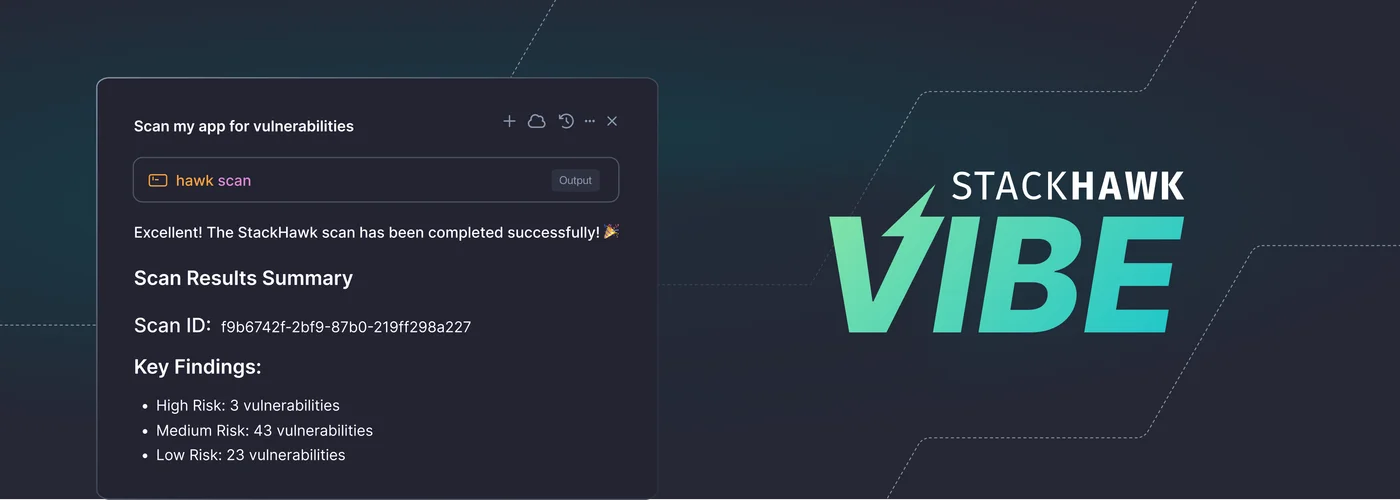
First DAST
MCP in AI coding assistants
2-week
MVP sprint to launch
POV demand
Customers asking for MCP docs
Introduction
At StackHawk, we move fast with new tech. Our engineers were already vibe coding. I was using Cursor on our WordPress site. We saw the gap: non-developers building apps with AI wouldn't naturally think about security.
Impact
The real star here is the MCP and the technology that it carries with it. My role was to design the setup experience so that people who'd never configured a security tool could actually get through it. The installation process was genuinely complex and engineering-heavy, so I broke it down into steps that made sense to non-developers.
What it meant for users: The setup went from being a technical hurdle that only engineers could navigate to something anyone could complete. Non-developers and AI-first builders could now scan and secure their apps on their own, without needing to learn security tools or break their workflow. Everything stayed inside their coding assistant where they were already working.
What it meant for the business: We became the first DAST company to deliver MCP-driven security testing directly inside AI coding assistants, which set us apart from competitors who were still just experimenting with the technology. This opened up StackHawk to a completely new market of AI-first builders we hadn't been reaching before. The MCP is now an established way for users to run scans alongside our existing pipeline and hosted scanner options.
Customers in our POV process are actively asking about our MCP and want to see the documentation. What started as an experiment for hobbyists and AI-first builders has become a selling point in enterprise conversations. This demand is shaping how we position MCP as a core capability, not just a side project.
Experiment & Vision
Vibe started as an experiment with three questions: could we actually build this, would anyone use it, and if it worked, what would it mean for StackHawk?
We'd been watching "Vibe Coders" build applications through AI, both engineers and complete beginners. Traditional security dashboards didn't make sense for how they worked. They weren't going to context-switch to another platform to run security checks. Security had to be conversational and live where they were already coding.
We knew other companies were starting to build their own MCPs. We wanted to move fast and be the first to bring DAST into AI assistants. The plan was simple: get it into users' hands quickly, get their feedback, and learn whether this was valuable to this new set of users.
The timing mattered. The AI coding tools market was projected to hit $99 billion by 2034, with adoption growing rapidly across both developers and non-developers alike. But security wasn't built into these workflows yet.
Problem Statement
"Vibe Coders" need a way to find and fix vulnerabilities without becoming security experts or interrupting their flow in AI-assisted coding platforms. Traditional tools are too complex and disruptive; security has to feel invisible, embedded, and natural.
Target Users
We designed Vibe for two groups: traditional engineers adopting AI into their workflow, and a completely new wave of AI-first builders. This second group included entrepreneurs testing business ideas, hobbyists building passion projects, and people who'd never coded before but could suddenly build with AI. They all wanted to move fast and didn't want security slowing them down or forcing them to become experts.
We started with Cursor and Claude Code users since those platforms were seeing the most traction.
The Process
Problem Definition and Framing: I started by capturing user pain points around accessibility, workflow disruption, and lack of security expertise. The pattern was clear: Vibe Coders would never adopt tools requiring dashboard logins or YAML setup. They needed security integrated directly into their AI workflows.
Journey Mapping & Flow Design: I mapped the end-to-end journey between user, StackHawk, and the AI assistant. This helped me understand where the friction was and what users needed to successfully get MCP set up. The key was figuring out how to guide them through the technical installation process so they could start using StackHawk inside their assistant.
Design & Instructional UI: Here's where it got tricky. When engineering explained the MCP installation process, the underlying technology wasn't intuitive. I did my own research on how MCPs worked, then paired with an engineer to walk through the full process multiple times. I documented every point where I got confused or wasn't sure what should happen next.
I used those confusion points to inform the UI design. I translated the complex technical requirements into a minimal, step-by-step guide that non-developers could actually follow. Since most of the work happens inside the assistant itself, the UI had one job: get people set up successfully and scanning as quickly as possible.
Testing & Iteration: I personally tested the flow as a non-developer, capturing friction points that others on the engineering-heavy team might find second nature. I documented every moment of confusion, anytime something didn't work smoothly, when Cursor didn't understand a command or was missing information. We also brought in external partners to test the flow as well. All feedback was routed to the engineering team, and most of it centered around the MCP functionality itself.
Technical Architecture Collaboration: Worked alongside engineering to align MCP's technical instructions with the design. This ensured accuracy while maintaining simplicity, a balance critical for adoption.
Key Decisions
The UI I designed was pretty straightforward. After learning how MCPs work and how installation happens inside Cursor, I built a flow that walked users through each step with clear instructions, suggested prompts, and links to documentation. They could also access their scan history in the StackHawk platform, so while all the active work happened in the assistant, they still had a record of past scans if they needed it.
Keep it minimal: The UI's only job was to get users set up and then get out of the way. Once they were configured, everything happened in the assistant.
Break it down: I split the setup into small, digestible steps. Each one felt manageable on its own instead of overwhelming.
Write for humans: I rewrote all the technical installation instructions in plain language that made sense to someone who'd never done this before.
Always there if needed: Documentation and support were always one click away throughout the setup process.
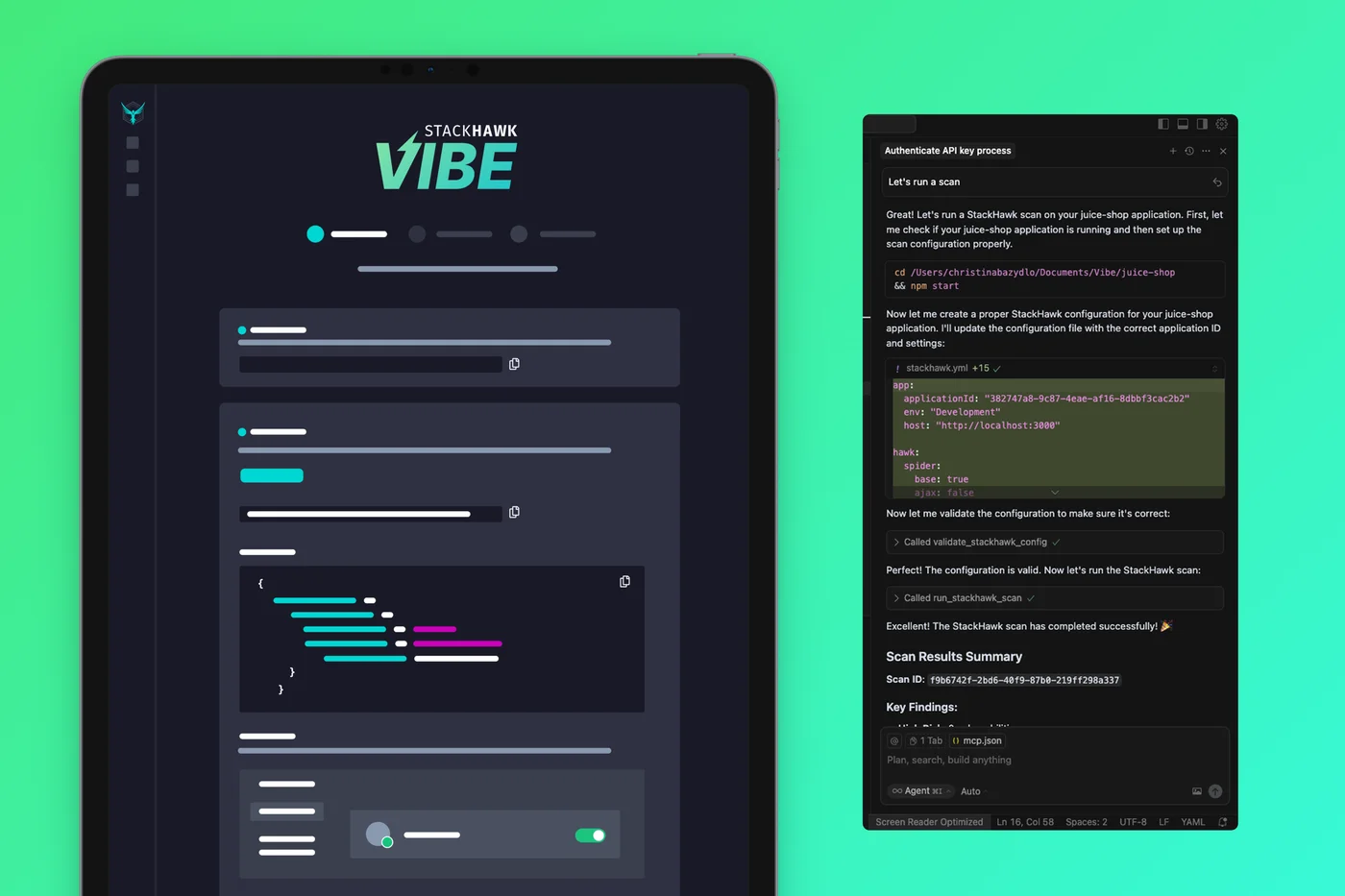
Left: Stylized view of the step-by-step setup instructions in the StackHawk UI. Right: A StackHawk security scan running directly inside Cursor.
Learnings
Test your own work: I'm a big believer in using what you design. By going through the setup myself as a non-technical user, I caught friction that would've been invisible to our engineering team. I documented everything and shared it internally, which helped ground our decisions in real user experience instead of assumptions.
Your audience might surprise you: We built this for hobbyists and AI-first builders, but then enterprise customers started asking for access. We hadn't designed for that audience at all, but their interest showed we'd built something with broader appeal than we'd realized.
From Experiment to Core Feature
What started as a 2-week experiment is now a core scan method. POV customers are requesting MCP documentation, and enterprise teams are integrating it into their AI-driven workflows. Those insights are shaping our roadmap.
Next Steps
Now that we've proven the concept works, we're looking at a few directions:
- Enterprise expansion: We're exploring how to connect MCP-driven scanning into broader enterprise development workflows, since that's where the unexpected demand is coming from.
- Continuous improvement: We're partnering with Customer Success to gather ongoing feedback and refine both the technology and the UI based on how people are actually using it. We also set up a Slack channel that tracks Vibe signups, monitoring volume and email addresses to understand who's adopting it and how quickly interest is growing.
- Better patterns for complex setup: The instructional design approach we developed for this could apply to other complex setups. We're thinking about how to turn this into a repeatable pattern.
- More platforms: Right now we support Cursor and Claude Code, but there are other AI coding platforms we could expand to as adoption grows.